

Download Eggscellent – Simple Mac Productivity App for Task Management
Why Eggscellent Stands Out in the Mac Productivity Landscape
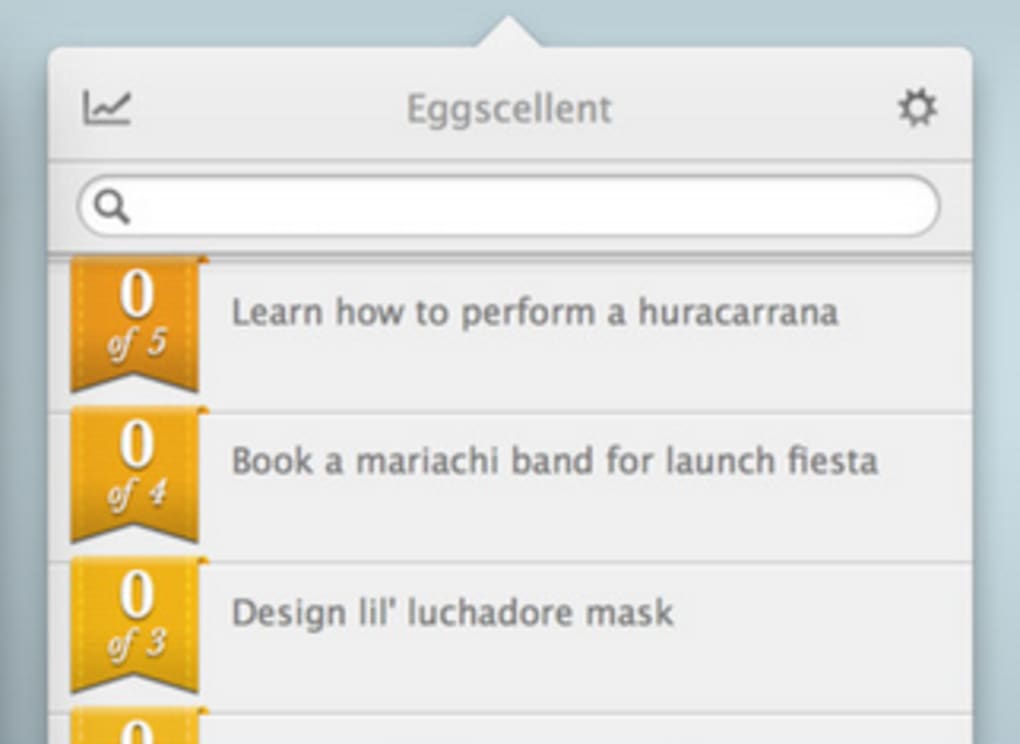
Eggscellent, formerly known as Pomodorable, is a delightfully simple yet powerful productivity manager designed exclusively for macOS. Its core philosophy revolves around breaking large, intimidating projects into bite‑size “eggs” that hatch as you complete them, giving you a visual sense of progress that feels both rewarding and motivating. Built to integrate seamlessly with Apple’s native Reminders and Notification Center on Mountain Lion and later versions, Eggscellent lets you keep your to‑do list inside the ecosystem you already trust.
Beyond basic task tracking, the app can automatically update your status on popular messaging platforms such as Messages, Skype, and Adium, broadcasting a polite “Do not disturb – I’m working” to colleagues and friends. This automatic status sync eliminates the awkward need to manually set an away message, ensuring you stay focused without the fear of missing important communications. Eggscellent’s clean, minimalist interface is crafted with a cute aesthetic—think of a small, animated egg that cracks open as each task completes—making the experience enjoyable rather than a chore.
Whether you’re a freelancer juggling multiple client projects, a student planning study sessions, or a professional looking to protect deep‑work time, Eggscellent offers a straightforward, no‑frills approach that keeps you on track while staying visually engaging. The app is lightweight, consumes minimal system resources, and receives regular updates to stay compatible with the latest macOS releases, ensuring a secure and reliable environment for your daily workflow.
Core Features, Pros, and Cons of Eggscellent
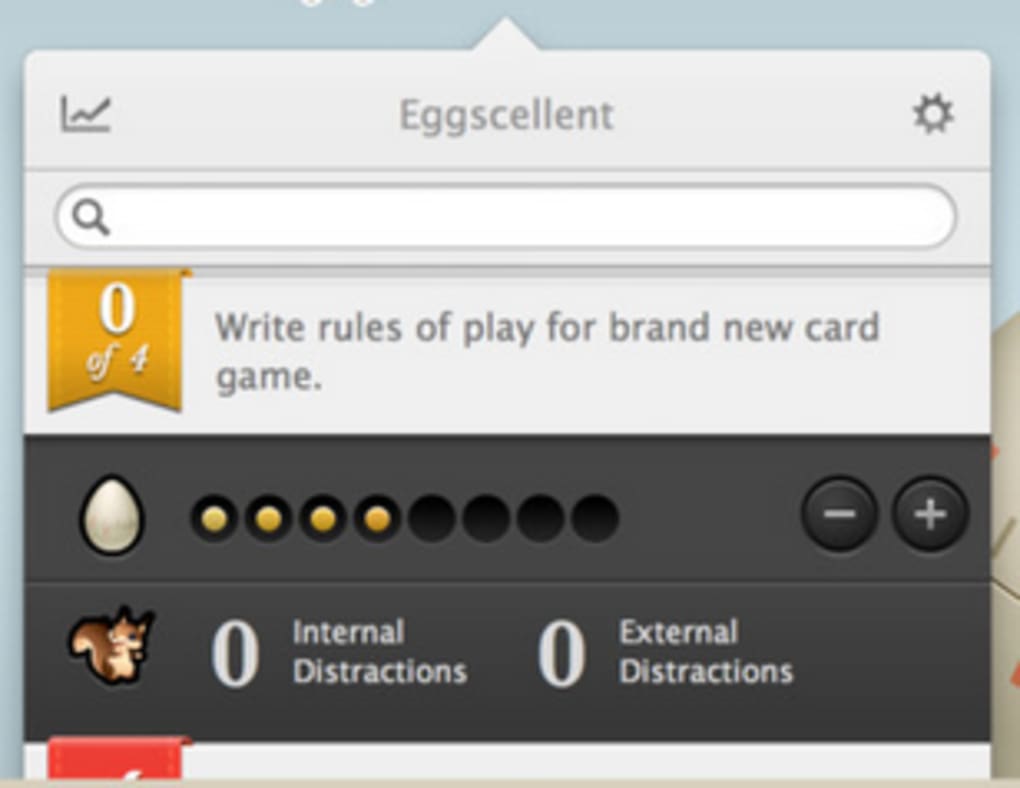
- Task “Egg” Visualization – Each task appears as an egg that hatches when completed, providing instant visual feedback.
- Native Reminders Integration – Syncs with macOS Reminders, allowing you to import, edit, and manage tasks without leaving the app.
- Automatic Status Updates – Updates your status on Messages, Skype, and Adium to indicate you’re in focus mode.
- Customizable Pomodoro Timers – Built‑in timer options to structure work sessions and breaks using the Pomodoro technique.
- Simple Drag‑and‑Drop Reordering – Rearrange tasks quickly with a natural drag‑and‑drop interface.
- Lightweight Design – Minimal CPU and memory footprint, ensuring smooth performance even on older Macs.
- Secure Local Storage – All data is stored locally on your Mac, giving you full control over privacy.
- Regular macOS Updates – Compatibility updates for new macOS releases and bug‑fix patches.
Pros
- Intuitive, cute UI that makes task management enjoyable.
- Deep integration with macOS Reminders eliminates duplicate entry.
- Automatic status sync reduces interruptions from coworkers.
- Lightweight and fast; does not slow down your system.
- Free to download with optional paid upgrades for advanced features.
Cons
- Currently macOS‑only; no Windows, Android, or iOS version.
- Limited advanced project‑management features (no Gantt charts, dependencies).
- Customization of status messages is modest compared to dedicated status apps.
- Relies on native Reminders – users who prefer third‑party task managers may need a workaround.
Installation, First‑Run Setup, and Compatibility Details
Installing Eggscellent is a straightforward process designed for users of all technical levels. Begin by visiting the official Eggscellent website or the Mac App Store page. Click the “Download” button; the installer will be saved as a .dmg file. Open the disk image, then drag the Eggscellent icon into your Applications folder. macOS may prompt you to confirm that you trust the developer; simply click “Open” to proceed.
Once installed, launch Eggscellent from the Applications folder or via Spotlight. The first‑run wizard walks you through a brief onboarding sequence: you’ll be asked to grant permission for notifications, access to Reminders, and optional status‑update integration with Messages, Skype, and Adium. These permissions are essential for the app’s core automation features, and each request explains why the access is needed, ensuring transparency and security.
After granting permissions, you’ll be presented with a clean dashboard where you can start creating “eggs.” Click the “+” button, type a task name, set a Pomodoro length if desired, and hit “Create.” Your new egg will appear in the list, ready to be started. You can also import existing Reminders by clicking the “Import from Reminders” button, which syncs all unchecked items into Eggscellent as eggs ready for hatching.
Compatibility: Eggscellent requires macOS 10.8 (Mountain Lion) or later. It has been fully tested on macOS Catalina, Big Sur, Monterey, and Ventura, with each release receiving a dedicated compatibility update. The app runs efficiently on both Intel‑based Macs and Apple Silicon (M1/M2) machines, leveraging native code to ensure optimal performance across architectures.
For users who prefer keyboard shortcuts, Eggscellent supports a customizable set of hotkeys for starting, pausing, and completing tasks. These shortcuts can be edited in the Preferences pane under the “Keyboard” tab. Additionally, the app includes an “Auto‑Start” feature that begins your first Pomodoro session at a scheduled time each day—perfect for establishing a consistent work rhythm.
Should you encounter any issues during installation, the built‑in Help menu directs you to a comprehensive knowledge base and a contact form for direct support. Because Eggscellent stores all data locally, there is no need for cloud sync, which many privacy‑conscious users appreciate. However, you can manually export your task list as a CSV file for backup or migration to another tool.
Frequently Asked Questions & Final Thoughts
Is Eggscellent completely free or does it have a paid version?
Eggscellent is free to download and use for basic task management. A optional “Pro” upgrade is available for a one‑time fee, unlocking advanced Pomodoro customization, priority tagging, and enhanced status‑message templates.
Can I sync my Eggscellent tasks across multiple Macs?
Since Eggscellent stores data locally, it does not provide built‑in cloud sync. However, you can manually export your task list and import it on another Mac, or place the app’s data folder inside a iCloud Drive folder for semi‑automatic syncing.
Does Eggscellent work with third‑party task managers like Todoist?
Direct integration is limited to macOS Reminders. If you use Todoist or another service, you can export tasks to a CSV file and import them into Reminders, after which Eggscellent will pick them up.
Will Eggscellent interfere with my existing status on Messages or Skype?
Eggscellent only updates your status while a Pomodoro session is active and restores your previous status once the session ends. You retain full control and can disable status updates in the Preferences pane at any time.
How secure is my data when using Eggscellent?
All task data is stored locally on your Mac in an encrypted preferences file. No data is sent to external servers unless you manually export it, ensuring your information stays private.
Conclusion – Take Control of Your Tasks with Eggscellent
Eggscellent delivers a refreshing blend of simplicity, visual motivation, and smart automation that makes it a standout choice for Mac users seeking a distraction‑free productivity companion. Its deep integration with native macOS services, lightweight footprint, and playful “egg hatching” metaphor turn routine task tracking into an engaging experience. While it currently lacks cross‑platform support and advanced project‑management features, the core functionality is robust enough for freelancers, students, and anyone who wants to protect focus time without juggling complex software. By downloading Eggscellent today, you’ll gain immediate access to a free, secure tool that helps you break down work into manageable pieces, automatically lets colleagues know when you’re in deep work, and keeps your to‑do list tidy within the ecosystem you already trust. Click the download button below, install the app, and start watching your tasks hatch—your most productive self is just an egg away.
Download Eggscellent now and experience a cleaner, more focused workflow on your Mac.







